
Todoist: To Do List & Calendar
Todoist Inc.Productivity
4.616.58K Reviews
- Version
- Varies With Device
- Installs
- 10.00M
- Age Rating
- Everyone
Screenshots

Our Review of Todoist: To Do List & Calendar
 Analysis by Appyee
I like to judge a task manager by what happens when life gets messy: a deadline shifts, someone else is waiting on me, and I’m trying to remember an idea while walking between errands. Todoist: To Do List & Calendar is built for that kind of everyday juggling, but I’d treat it as a place to organize commitments—not as a substitute for deciding what truly matters or checking sensitive work details.
A useful tool, not a promise to do the work for you
Todoist is a productivity app from Doist Inc. Its appeal is the straightforward loop of capturing a task, placing it in a project, and giving it a due date or priority when needed. It has been around since 2012, and its broad adoption—over 10 million installs and an average rating of 4.6 from around 297,000 ratings—makes it a familiar option in a crowded category. Those figures suggest a well-used product, but I wouldn’t treat popularity as proof that it fits every person’s workflow.
I find the app most convincing when a task list needs a little structure but not the machinery of a full project-management suite. A student can separate coursework from errands; a freelancer can keep client follow-ups distinct from personal chores; a household can use a shared project to divide practical jobs. If all you need is a short, private checklist, a built-in notes or reminders app may be quicker and less demanding to maintain.
Trust starts with what you choose to put in a task
Task titles can reveal more than they seem to. A reminder such as “call the clinic” may be harmless in context, while a task containing a client’s confidential details or another person’s private information deserves more care. I use concise labels and keep sensitive specifics in the appropriate secure system rather than turning a to-do list into a record of everything.
That is a practical boundary, not a claim about Todoist’s data practices. I wouldn’t assume particular privacy protections, account controls, or permissions without checking the current app settings and the privacy information available from Doist. Before using any cloud-based task manager for work or shared responsibilities, I’d review those details and follow any rules set by my employer or organization.
Make the app earn its place in your routine
The easiest way to keep a task manager useful is to give it a small, repeatable job. I’d start with a few clear projects, then add tasks as they come up instead of trying to map my whole life in one sitting. A weekly review can catch overdue items and remove tasks that no longer matter; without that habit, even a polished list can become another pile to avoid.
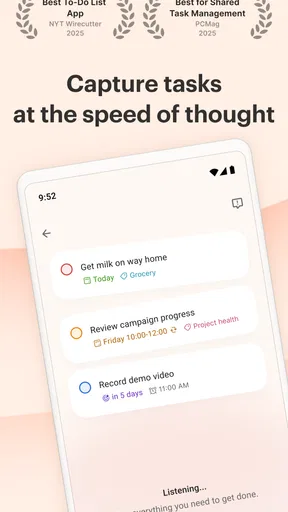
Voice capture can help when typing is inconvenient, but I’d still check the wording afterward. A quick spoken note may leave out a date or make the next action unclear. For a shared task, I’d name the outcome and who is responsible, then use a due date only when timing matters. That keeps collaboration useful without making every small chore feel like a formal assignment.
First Impressions: Sleek and User-Friendly
Right off the bat, Todoist hit me with its clean and modern interface. I didn’t need a tutorial to figure things out, which is a huge plus. Everything is intuitive, from adding tasks to organizing them into neat little projects. It felt like the app was saying, "I got your back, buddy."
Organizing Tasks Like a Pro
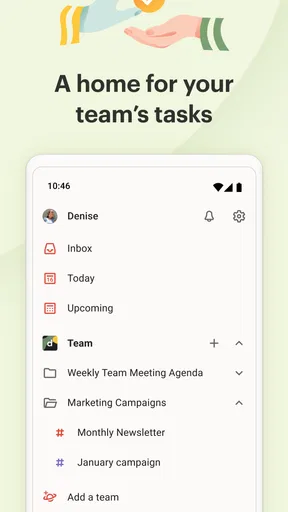
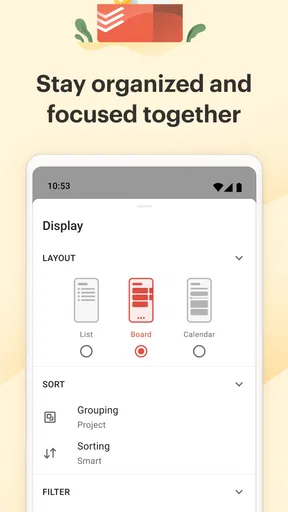
One of my favorite features is the ability to create projects. Have you ever tried to juggle work, personal stuff, and maybe a side hustle or two? With Todoist, you can categorize tasks into different projects, which makes it super easy to switch gears without losing focus. It’s like having different tabs open in my brain, but way more organized.
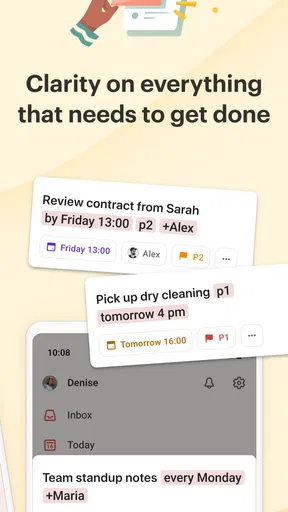
And let’s talk about priorities. Todoist lets you set priority levels for each task, so you always know what’s on fire and what can simmer on the back burner. It's a small feature, but it makes a world of difference when you’re staring down a long list of to-dos.
Deadlines and Reminders for the Win
I’m one of those people who needs constant reminders, and Todoist delivers. You can set due dates and even recurring tasks. Have a report due every Friday? Set it once, and you’re golden. Plus, the app shoots you reminders so you don’t end up in that "oh no, I forgot" panic.
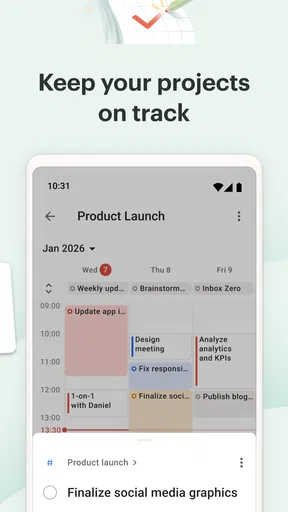
What’s really nifty is how it syncs with your calendar. Seeing my tasks alongside my schedule is like having a personal assistant who’s always on point. It makes planning my week a breeze.
For a realistic weekday, I might add “send the revised draft” when it comes to mind, give it a work project, and mark the deadline. Then I can put “pick up groceries” in a personal project without mixing the two. If a routine task repeats, setting it once is less fussy than rebuilding the same reminder each week. I still leave room between scheduled commitments: a calendar full of tasks can look tidy while being impossible to complete.
Collaboration Made Easy
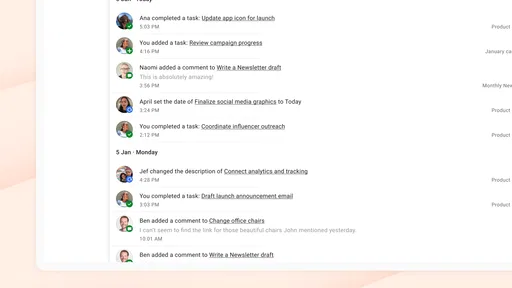
If you’re working on a team, Todoist is a game changer. You can share projects and assign tasks to different members. It’s super simple to keep everyone in the loop without endless email chains. I’ve found it especially useful for group projects or coordinating events. Everyone knows what they’re supposed to do, and when.
For a group, I’d agree on naming conventions before the shared list grows. “Prepare slides” is easier to act on than “presentation,” and an owner plus a meaningful deadline reduces the familiar question of who is handling what. The trade-off is that shared task tracking needs upkeep from everyone; if teammates keep decisions in chat and never update the project, the list quickly stops being dependable.
Integration Heaven
Todoist plays well with others, which is fantastic if you’re like me and use a ton of different apps. It integrates seamlessly with tools like Google Calendar, Dropbox, and even Amazon Alexa. So, if you’re tech-savvy and love automation, you’re going to have a field day with this app.
I’d add integrations only when they remove a recurring step. Connecting every service at the outset can create more places to troubleshoot and more notifications to sort through. Someone who mainly wants a simple checklist may be better served by the default reminders app on their phone; someone who already works across calendars, devices, and shared projects may get more value from keeping tasks in one dedicated system.
Leveling Up with Karma
Here’s a fun feature: Todoist Karma. It’s a little reward system that tracks your productivity and encourages you to keep going. You earn points for completing tasks and maintaining your streaks. It’s like a game, but you’re actually getting stuff done. Talk about a win-win!
I see that score as a nudge, not a measure of how well someone is doing at life. Streaks can make routine habits satisfying, but they can also make a missed day feel more important than it is. If that kind of feedback motivates you, it can add a light sense of progress; if it turns your list into a competition with yourself, it’s reasonable to ignore it and focus on the work.
Cost, access, and the right level of complexity
The app is free to start, with in-app purchases ranging from $0.99 to $59.99 per item. I’d begin with the free experience and decide whether any paid option solves a real problem in my routine before spending money. The app is rated for Everyone, and it supports Android from version 8.0, so it can suit a broad range of users, though the age rating is not a reason to place private information in a task title.
Compared with a paper notebook, Todoist is easier to sort, repeat, and share, while paper can feel more immediate and avoids the temptation to keep tuning a digital system. Compared with a basic phone checklist, its projects and collaborative workflow offer more room to grow, but they also require more choices and occasional maintenance. I’d skip it if I strongly prefer one-off reminders, dislike managing categories, or need a team workspace with specialized planning and reporting rather than a task list.
Deadlines and reminders in real use
I’m one of those people who needs constant reminders, and Todoist delivers. You can set due dates and even recurring tasks. Have a report due every Friday? Set it once, and you’re golden. Plus, the app shoots you reminders so you don’t end up in that "oh no, I forgot" panic.
What’s really nifty is how it syncs with your calendar. Seeing my tasks alongside my schedule is like having a personal assistant who’s always on point. It makes planning my week a breeze.
Collaboration has a human side
If you’re working on a team, Todoist is a game changer. You can share projects and assign tasks to different members. It’s super simple to keep everyone in the loop without endless email chains. I’ve found it especially useful for group projects or coordinating events. Everyone knows what they’re supposed to do, and when.
Whether voice capture, calendar visibility, or shared projects are central to your plan, I’d test the specific workflow with a few low-stakes tasks first. Check how the app behaves on the devices you actually use, make sure collaborators understand the shared routine, and review account and privacy choices before adding work information. Those small checks answer the practical questions that matter more than a feature list: will it fit your day, will others keep it current, and are you comfortable with what you enter?
So, would I recommend Todoist: To Do List & Calendar? Absolutely. Whether you’re a student, a professional, or just someone trying to keep life in order, this app is a powerhouse. It’s user-friendly, loaded with features, and a real lifesaver for anyone looking to boost their productivity. Give it a whirl; you might just find it’s the organization tool you’ve been missing.
Verdict
Strengths of Todoist: To Do List & Calendar
- User-friendly interface with intuitive design.
- Seamless integration with various platforms.
- Advanced task organization with labels and filters.
- Collaboration features for team projects.
- Customizable notifications and reminders.
Limitations of Todoist: To Do List & Calendar
- Premium version required for some features.
- Limited offline functionality.
- No built-in time tracking.
- Initial setup can be time-consuming.
- Occasional syncing issues reported.
Similar Picks in This Category
View All
Google Calendar
Google LLC4.6

Google Drive
Google LLC4.3

Google Assistant
Google LLC3.9

Microsoft OneDrive
Microsoft Corporation4.6

Samsung Calendar
Samsung Electronics Co., Ltd.4.1

Microsoft OneNote: Save Notes
Microsoft Corporation4.6
Frequently Asked Questions
What platforms is Todoist available on?
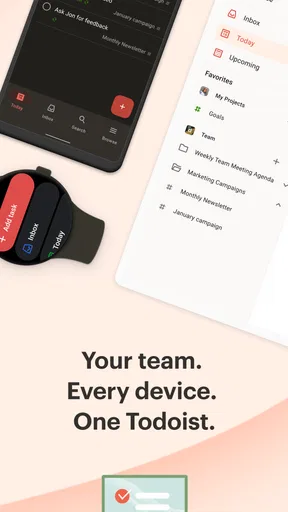
Todoist is available on multiple platforms including Android, iOS, Windows, macOS, and web browsers. This cross-platform availability ensures that you can access your tasks and projects from any device, keeping you organized whether you're at home, in the office, or on the go.
Does Todoist offer offline access?
Yes, Todoist offers offline access to your tasks and projects. You can view and edit your tasks without an internet connection, and any changes you make will be synced automatically once you're back online. This feature is perfect for users who need to manage tasks without constant connectivity.
How does Todoist handle task prioritization?
Todoist allows you to prioritize tasks by assigning them priority levels ranging from 1 to 4. Priority 1 tasks are the most urgent, while Priority 4 tasks are less critical. This system helps you focus on what's most important and ensures that you can manage your time effectively.
What integrations does Todoist support?
Todoist supports a wide range of integrations with other apps and services. It can be connected with Google Calendar, Slack, Amazon Alexa, and many others. This enables seamless task management across different tools, enhancing productivity and ensuring all your essential apps work together.
Is collaboration possible with Todoist?
Yes, Todoist supports collaboration by allowing you to share projects and tasks with other users. You can delegate tasks, add comments, and track progress collaboratively. This makes it an excellent tool for team projects, ensuring everyone stays on the same page and tasks are completed efficiently.
